
Wainscoting Calculator | Designer | Free Delivery
Design your wall wainscoting with decorative moulding and scroll down to place your order. Desktop: Click and drag to rotate, scroll to zoom, right-click to pan.
Mobile: Swipe to rotate, pinch to zoom, two-finger drag to pan.
Note: The 3D visualisation simplifies the design by showing only the width and thickness dimensions. The actual moulding will have the profile design matching your selected style seen in the image below (Astragal, Florence, etc.), though the visualisation shows them as simple rectangular strips. Each moulding also has its own fixed thickness and width.
Materials Required
How Will I Receive My Order?
Your wall panel moulding will be delivered in full-length strips (2440mm, 3050mm, or 4200mm), as selected. This allows for flexibility on-site, giving you the control to cut each moulding piece to the exact dimensions required for your custom layout.
Save Your Bespoke Design
What is the Length Option?
Wall panel moulding is supplied in three sizes, 2440mm (2.44m), 3050mm (3.05m), and 4200mm (4.2m). Some panel mouldings like Inset, only have one length option. You'll receive the full length of moulding required to complete your wall according to your specifications, regardless of which length you choose. The amount of excess material may vary depending on the option you choose, and the price will also vary. Shorter lengths are often more suited for smaller projects and are easier to handle, whereas longer lengths may require fewer cuts.
What is the Finish Option?
The finish option allows you to customise the paint of the moulding. You can choose to have the moulding undercoated (sprayed white, sanded, with primer and undercoat applied), primed (sprayed white with primer applied), matt grey, or satin black.
Excess Material
Excess material indicates the length of material which is not required for your panelling configuration. However, during cutting and installation, material will be lost, so the excess material ensures you have enough to complete your project. If you're unsure, we recommend adding a couple of extra moulding strips in the checkout.
Moulding Details
Moulding Width: This is the width of the moulding profile. Width varies depending on the moulding.
Moulding Thickness: This is the thickness of the moulding profile, affecting how far it protrudes from the wall surface. Thickness varies depending on the moulding.
Note: Panel moulding style is simplified in the visualisation. The actual profile will match your selected moulding style as seen in the images. Skirting board is not included in your order, and is available at our sister site skirtingworld.com.
Not sure about your panelling? Request a free sample!
Free SamplePanel Moulding
Total Length: 0 m
Width: 25 mm
Thickness: 15 mm

Astragal MDF Wall Panel Moulding
Choose a finish and the length of moulding pieces you prefer to receive the full length of panelling required for your design.
Design Your Perfect Wainscoting
Our interactive 3D wainscoting calculator empowers you to visualise, customise, and order bespoke wall panelling for your home. This innovative tool helps you create traditional or contemporary wall panelling designs with precision, giving you complete control over dimensions, style, and finish - all while seeing real-time pricing.


How Our Wainscoting Calculator Works
-
Input Your Wall Dimensions
Enter your wall height, width, and skirting board dimensions (if present). Our calculator uses these measurements to create a precise digital model of your space.
-
Customise Your Panelling
Choose between single or double row panelling, adjust the number of columns, select your preferred moulding style, and fine-tune panel proportions using our intuitive controls.
-
Visualise in 3D
Watch your design come to life in our interactive 3D preview. Rotate, zoom, and pan to examine your panelling from every angle before finalising your design.
-
Check Measurements & Price
Review the detailed measurements of your design and see real-time pricing. The calculator works out the total length of moulding and the number of lengths to order.
-
Save Your Design Plan
Generate a comprehensive PDF installation guide with your exact measurements, materials list, and step-by-step instructions for perfect installation.
-
Order with Confidence
Add the panel moulding to your basket in the quantity the calculator gives. Delivery is calculated at checkout, and our 30-day return policy applies.
Your Wainscoting Materials & Delivery
What You'll Receive
When you place an order using our wainscoting calculator, you receive full lengths of MDF wall panel moulding in the length and finish you choose.
Your wall panel moulding will be delivered in full-length strips (2440mm, 3050mm, or 4200mm), as selected. This allows for flexibility on-site, giving you control to cut each moulding piece to the exact dimensions required for your custom layout.
Premium MDF Moulding
Our panel mouldings are machined from moisture-resistant MDF (Medium-Density Fibreboard) at our facility in Birmingham.
- Finish Options
- Choose from primed, undercoated, matt grey or satin black finishes to suit your project requirements.
- Installation Plan
- Receive a detailed PDF with your exact measurements and step-by-step installation instructions.
- Delivery
- Delivery is calculated at checkout. Delivery times are on our Delivery page.
- Order Updates
- You receive email and SMS updates so you know when to expect your delivery.

Installation Tips & Best Practices
Our wainscoting calculator provides all the measurements you need, but here are some professional tips to ensure successful installation:
Plan Your Layout
Before cutting any material, mark the wall with masking tape or pencil lines to visualise the panel layout. This helps identify any unforeseen obstacles or adjustments needed.
Perfect Mitred Corners
When cutting mouldings for corners, set your mitre saw to exactly 45° and make test cuts on scrap pieces first. Apply wood glue to mitred edges for added strength.
Secure Attachment
Use a combination of panel adhesive and finishing nails or pins for the most secure installation. This provides immediate hold while the adhesive cures.
Professional Finish
Fill any gaps at joints with decorators caulk or wood filler. Once dry, sand smooth and apply your chosen paint finish for a seamless appearance.
Need Help?
The PDF plan has the cutting sizes for your design, a materials list and step-by-step instructions. Click "Save Plan" in the calculator to download it.
Frequently Asked Questions
What is wainscoting and how is it different from other wall panelling?
Wainscoting is a specific type of decorative wall panelling that typically covers the lower portion of a wall. Traditionally, it extends around 1/3 to 1/2 of the way up a wall and is topped with a chair rail. Unlike full wall panelling, wainscoting creates a two-tone effect with different treatments for the upper and lower portions of the wall. Our calculator allows you to design both traditional wainscoting and full-height panelling options.
What moulding styles are available for wainscoting?
Our calculator offers several classic moulding styles for your wainscoting project:
- Astragal: A timeless profile with a gentle curve (25mm × 15mm)
- Inset: A slimmer, more subtle design ideal for modern spaces (20mm × 9mm)
- Astragal Large: A bolder version of our classic Astragal (34mm × 15.5mm)
- Florence: An elegant, wider profile for more substantial panelling (54mm × 17mm)
- Astragal Maxi: Our most substantial Astragal profile (40mm × 25mm)
- Vienna: A sophisticated, wide profile for grand interiors (72mm × 24mm)
- 324: A versatile, medium-sized profile with clean lines (30mm × 16mm)
Each style creates a different aesthetic effect while maintaining the classic appeal of wainscoting.
How accurate is the calculator's material estimation?
The calculator adds up the moulding length of every panel in your design, from your wall size, panel layout and moulding style. It then divides the total by the length you choose (2440mm, 3050mm or 4200mm) and rounds up to whole lengths. It does not add an allowance for cutting waste. Add 10% for waste, as our measuring guide recommends.
What does the "Panel Fit" option do?
The "Panel Fit" option allows you to control how panel widths are distributed across your wall. Options include:
- Equal Panel Widths: All panels have identical widths
- Adjust End Panels: Adjusts only the leftmost and rightmost panels
- Spread Left/Right: Creates a focal point on one side
- Spread Both Ends: Emphasises both outer edges
- Centre Focus: Makes central panels wider for emphasis
- Outer Focus: Creates wider panels at the edges
- Alternating: Creates a rhythm of wider and narrower panels
The slider below the dropdown allows you to fine-tune the intensity of the effect, giving you precise control over your panel proportions.
Can I save my design for future reference?
The "Save Plan" button downloads a PDF of your design. The calculator does not store designs, so keep the PDF. It contains:
- A screenshot of your 3D design
- Detailed wall and panel measurements
- Material specifications and quantities
- Step-by-step installation instructions
- Tips for working with mitred corners
- Information about handling obstructions (if added)
This PDF serves as your definitive reference guide during installation, ensuring you have all the information you need at your fingertips.
Are wainscoting panels suitable for bathrooms or kitchens?
Our MDF panel mouldings are moisture-resistant and can be used in bathrooms and kitchens with proper sealing. For these areas, we recommend:
- Using our moisture-resistant MDF mouldings
- Applying a high-quality primer specifically designed for humid environments
- Finishing with moisture-resistant paint or sealant
- Ensuring all edges, especially bottom edges near floors, are properly sealed
With these precautions, your wainscoting can thrive even in moisture-prone areas. For wet areas that come into direct contact with water, consider our PVC panelling instead.
What tools do I need to install wainscoting panels?
For a professional wainscoting installation, we recommend having:
- Mitre saw or mitre box with handsaw
- Tape measure and pencil
- Level (preferably a long one)
- Caulking gun for adhesive
- Brad nailer or hammer with finishing nails
- Sandpaper (various grits from 120-220)
- Wood filler or decorators caulk
- Primer and paint (if not using pre-finished moulding)
- Painter's tape
Your installation PDF also includes a materials and tools list.
Explore Our Wall Panelling Calculator Suite
Discover our complete range of specialist tools to design every aspect of your interior panelling projects:
-
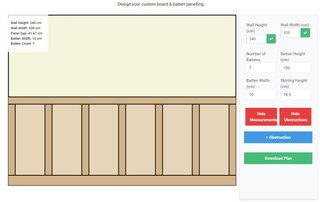
Board & Batten Calculator
Design vertical board and batten panelling with our interactive tool. Perfect for creating farmhouse-style or contemporary vertical panelling.
-
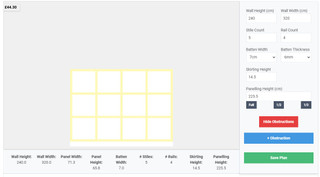
Shaker Panelling Calculator
Create clean, elegant Shaker-style panelling with precise measurements and 3D visualisation for modern interiors.
-
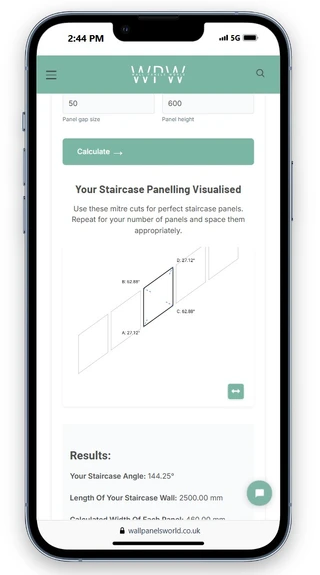
Staircase Panelling Calculator
Tackle the unique challenges of staircase wall panelling with our specialised calculator for angled walls and precise measurements.
Additional Resources
Designed for Every Device
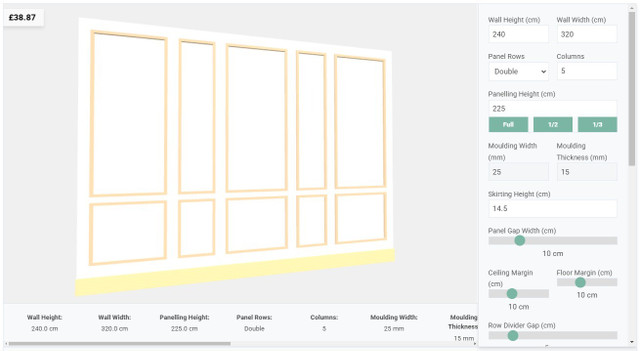
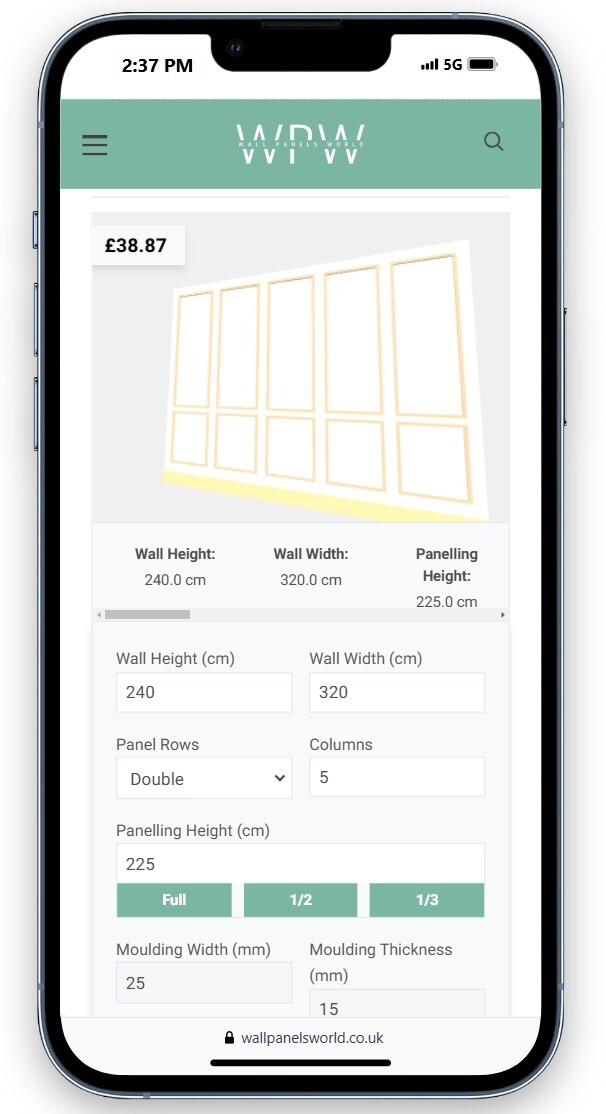
Our wainscoting calculator delivers a seamless experience whether you're designing on desktop, tablet, or mobile. Plan your panelling anywhere, anytime.
-
DeliveryCalculated at checkout
-
30-Day ReturnsNew, unopened items
-
Made in the UKSupporting British manufacturing
-
Expert SupportDedicated customer service